Logotype
For developers
By Qliro
Select search filters:
0
0
/
/
Payment Widget
Overview
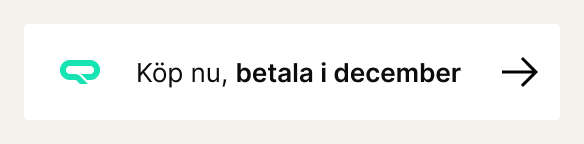
The Payment Widget presents a suitable payment method for a specified amount. By providing some parameters, the widget automatically determines which payment method is the most appropriate.
Note: If no appropriate payment method is available, the widget will be empty.
 
Style example: Normal

HTML
<div class="qliro-widget" data-amount="200" data-condensed></div>
 
CSS
.qliro-widget {}
 
Result
How-to
To use the Payment Widget, place a div with class qliro-widget and desired data variables. The Widgets script will then fill these either automatically at script load or when window._qliroWidgets() is called.
 
Parameters
Parameter Type Description Mandatory
class String Must include qliro-widget. Yes
data-amount Number Price of the order or product, so that Qliro can decide which payment option is best suited. Yes
data-condensed Boolean If provided, the widget will be rendered with shorter copy. No
 
Example
<div class="qliro-widget" data-amount="1000" data-condensed></div>
Styling
The following CSS classes can be overriden to customize the default look of the Payment Widget.
 
Parameters
CSS Classes
.qliro-widget
.qliro-widget-condensed
.qliro-widget-logotype
.qliro-widget-condensed-logotype
.qliro-widget > p >span
.qliro-condensed-widget > p >span
icon corner-down-right-dark
Next up is Banner widget